Ask a small firm whether it uses AI and the answer is almost always yes. Ask how many minutes a week someone spends checking what the AI produced, and the room goes quiet. That silence is where a lot of the promised time saving is quietly going.
More firms use AI. Fewer see big gains.
The second UK government AI adoption survey, published on 29 October 2026, puts the share of businesses using at least one AI technology at 32%, up from 16% the year before. That is the headline most people will repeat. The survey covers private firms with five or more staff, so it is not a small-business-only figure, but the direction is clear. Adoption has roughly doubled.
The productivity picture is less comfortable. Among adopters, 42% said AI had made no difference to productivity in 2026, up from 35% in 2025. The share reporting a gain of 20% or more fell from 16% to 7%. Meanwhile, the report says 81% of businesses apply some human input or oversight to AI outputs. The survey does not measure how long that oversight takes. It does not need to for the point to land: when four in five firms have a person looking at the output, that person’s time is a cost somewhere, and most firms have never counted it.
The review tax, in numbers
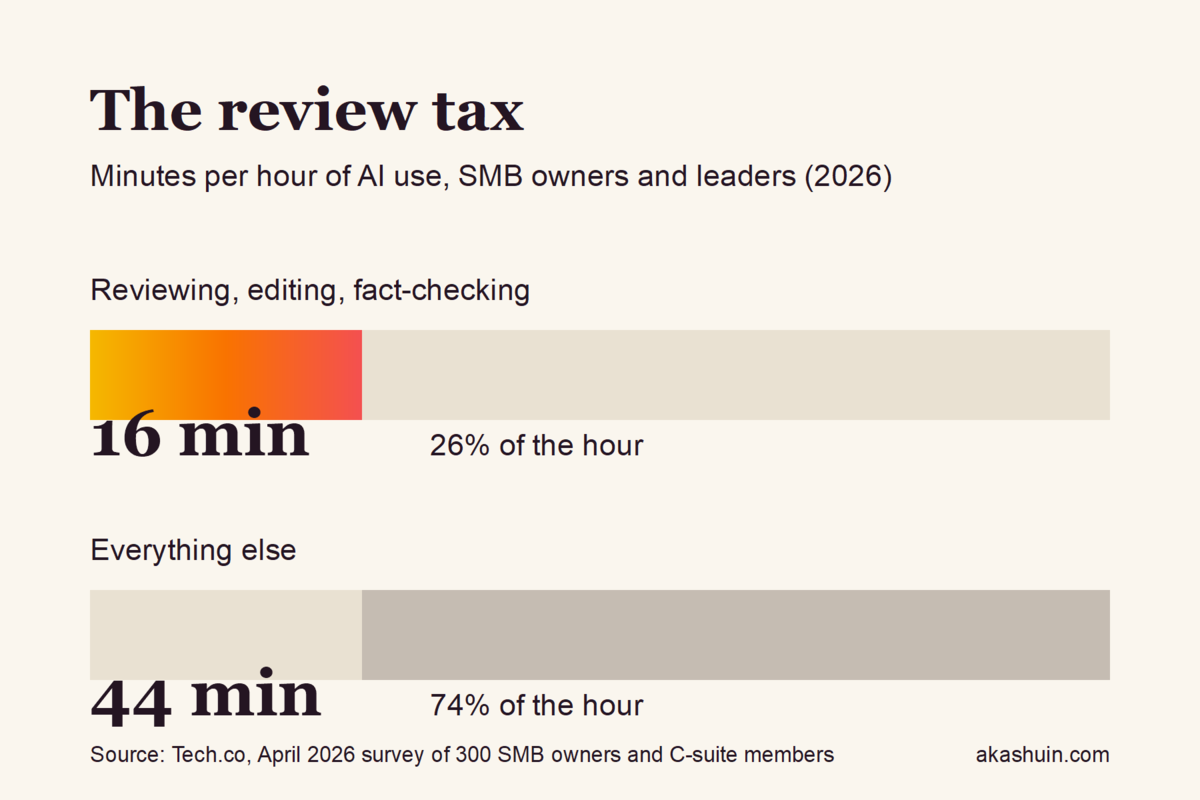
A survey by Tech.co of 300 SMB owners and C-suite members, published in April 2026, put a figure on it. On average, firms spend 16 minutes of every hour of AI use reviewing, editing or fact-checking the output. Tech.co describes that as over a quarter of the time spent working with the tool. The sample is small and the question was self-reported, so treat it as directional rather than precise. But it matches what anyone who has run an AI workflow for a client will tell you: the first draft is fast, and the second half of the job is where the hours go.
A practitioner Substack, Syncai, makes the same point from the build side. Automation needs review loops, the piece argues, because AI makes mistakes, and an AI that sounds confident can still be wrong. Its list of failure patterns includes “set it and forget it” automation, and I agree with him. Most firms build the generation step carefully and leave the checking step to whoever happens to notice a problem. The review then becomes unplanned, unmeasured and repeated: once in someone’s head as they read the draft, and again when a client spots the mistake.
Every minute the AI saves is a minute somebody can spend checking it.
Why the review never shows up
Review does not appear on any invoice. It sits inside a normal working day, so it never gets charged against the tool. The AI looks like a time saver because the first draft arrives in seconds. The twenty minutes spent correcting a wrong price, an invented statistic or a tone that does not sound like the firm do not get logged anywhere. Nobody lies about it. It is simply invisible, which is the worst kind of cost to manage.
The fix is not to stop using AI. It is to make the review visible, so you can decide task by task whether the tool is earning its keep.
Try this: time the review for one week
You need a spreadsheet, five working days and about 20 minutes of set-up. Here is the sequence:
- Pick the three AI tasks your team runs most often. Write them down. About 5 minutes.
- Add one column per task. Each working day, record the minutes spent checking or fixing each output. Be honest, not generous. About 2 minutes a day.
- At the end of the week, total the review minutes per task. Set them against the time the AI was meant to save. If review eats most of the saving, the task is not automated yet, however good the demo looked.
- For any task with more than 10 minutes of review, write a three-line checklist. List the three things that usually go wrong, such as a wrong figure, a missing client detail or a line that breaks the firm’s tone. Put the checklist next to the prompt so whoever checks knows what to look for. About 20 minutes.
- Run the readiness test before a client sees the output. Can you explain in 30 seconds what the automation does, where it can fail, and how you would catch a failure? If the answer is no, keep a human in the loop for that task until it is yes.
Once you have the numbers, the pattern is usually obvious. Tasks with a low review tax are narrow, repetitive and fed structured input: a booking confirmation, a standard client update, a first-pass summary of an enquiry. Tasks with a high review tax are open-ended: long client reports, anything containing pricing, anything a client reads as the firm speaking. Start with the first group. Keep people firmly in charge of the second.
If you would rather not do the mapping yourself, that is the work we do with firms. Either way, the review step should be designed in from the start, not bolted on after the first complaint. Our process automation service maps the workflow, decides where the human check sits and builds that check in before anything reaches a client.
What I would do this week
Stop reporting AI adoption as a percentage of firms. That number has doubled in a year and tells you very little about whether anyone is better off. Report review minutes per week instead. A firm that knows its review tax can say which tasks pay for themselves, which need a checklist and which should go back to being done by hand. Most firms cannot answer that question yet, and that is the real gap in the numbers.
Sources: UK government AI adoption survey 2026, executive summary; the adopter productivity figures are from Resultsense’s analysis of the same survey; review time from Tech.co’s April 2026 SMB survey; workflow review principles from Syncai on Substack.
Leave a Reply